


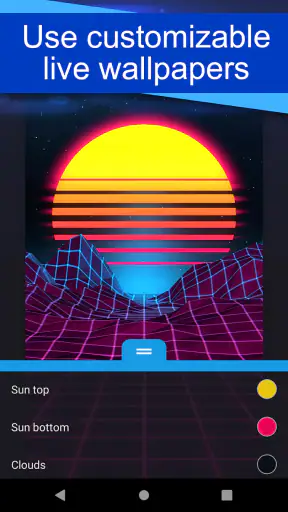
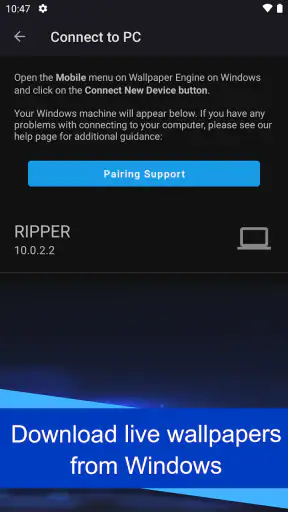
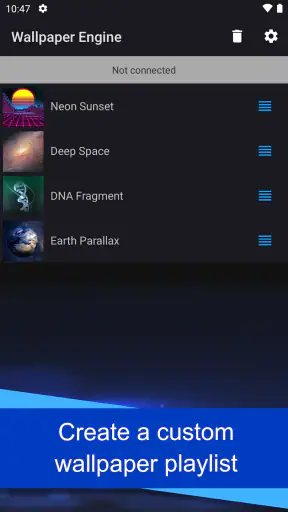
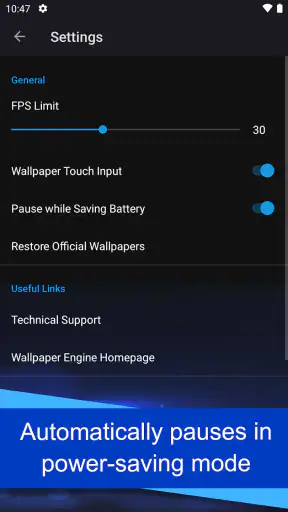
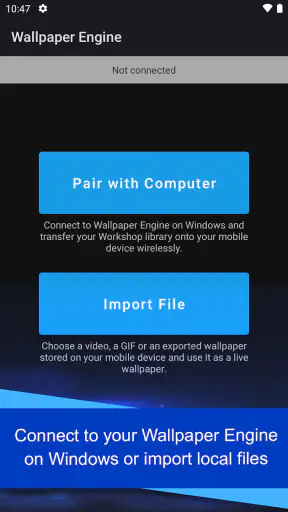
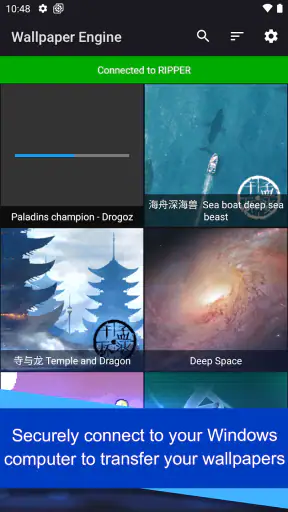
I have always found live wallpapers more interesting when they feel personal rather than decorative, and Wallpaper Engine takes a practical route to that idea on Android. Instead of presenting itself as just another wallpaper picker, it is designed to bring wallpapers created or managed through the Wallpaper Engine ecosystem on Windows to a phone or tablet. That makes it especially appealing if you already use the desktop version and want your screens to feel connected.
In my experience, the app is best understood as a companion for people who care about animated backgrounds and already have a reason to use Wallpaper Engine. It sits in the personalization category, is developed by Wallpaper Engine Team, and is free to install. Its Android store presence shows a 3.9 average from around 19 thousand ratings, with more than 5 million installs, so it is clearly being used beyond a small group of desktop enthusiasts. The age rating is Everyone, which also makes it suitable for a broad audience.
How Wallpaper Engine fits into everyday Android use
The central appeal is simple: you can transfer live wallpapers from Windows to Android and use them on your mobile device. That is a more focused purpose than the usual wallpaper apps, which generally offer a large catalog inside the phone itself. Here, the strongest experience comes from treating your computer as the place where you discover, organize, or prepare wallpapers, and your Android device as the place where you enjoy them throughout the day.
That distinction matters before you install it. If you are expecting an endless standalone Android catalog with a one-tap browsing experience, this may feel less immediate than conventional wallpaper applications. If you already have a favorite animated scene on your Windows setup, however, the transfer workflow gives the app a clear advantage: your phone does not have to feel visually unrelated to your desktop.
I can imagine using it after customizing a computer workspace for a long project. A calm abstract animation or a slow space scene can follow me onto my phone, creating a consistent look without searching for something similar all over again. That is a small convenience, but it is the kind of detail that makes personalization feel intentional rather than random.
What the free access means in practical terms
The app itself is free, so there is no purchase decision to make before trying its Android experience. That makes the sensible approach straightforward: install it, test the transfer process with the wallpapers you actually want, and decide whether the result fits your device and routine. I appreciate that the entry point is low-risk, especially because the app has a more specific purpose than a general wallpaper browser.
Free access does not automatically mean it is the best value for everyone. The value depends on whether you want this particular connection between Windows and Android. Someone looking only for a static background may get everything they need from the phone’s built-in wallpaper selector. Someone who wants motion, continuity, and access to a desktop-based collection has more reason to give this app a serious try.
The current Android version is 2.8.8, and the minimum requirement is Android 10. That requirement is worth checking before planning around the app, particularly if you are using an older phone that still works well for everything else. On a supported device, the free price makes experimentation easy; on an unsupported device, the app is not a practical option regardless of how attractive the concept sounds.
The workflow I would use before making it a daily wallpaper
I would begin with one or two wallpapers rather than moving an entire collection at once. This is a useful way to judge how well the visual style works on a smaller screen, whether the animation remains comfortable during repeated phone checks, and whether the setup feels worth maintaining. A wallpaper that looks excellent on a large monitor can become distracting when it sits behind icons and notifications.
I would also separate wallpapers by mood before transferring them. A bright animated scene may be enjoyable during the day but tiring at night, while a dark, slow-moving design can make an OLED phone feel more restrained. Keeping a small rotation of deliberately chosen backgrounds is more useful than treating the app as a place to constantly change the screen without a plan.
Another practical tip is to judge the wallpaper with real phone tasks, not just from the preview. Open a messaging app, read text, check a calendar, and look at the lock screen from different angles. Motion and contrast that seem impressive in isolation can compete with icons or make notifications harder to notice. For me, the best live wallpaper is one I notice occasionally, not one that demands attention every time I unlock the device.
Where it is stronger than ordinary wallpaper apps
The clearest strength is continuity. Most standard wallpaper apps are optimized for finding something new directly on Android. Wallpaper Engine is more useful when your starting point is a desktop collection or a carefully selected Windows setup. That makes it a better match for users who see wallpapers as part of a broader personal workspace rather than a disposable background.
It can also reduce the frustration of finding a mobile alternative to a desktop wallpaper you already like. Instead of searching by artist, color, or vague visual description, you can work from something familiar. This is particularly valuable for themed setups: a minimalist workstation, a game-inspired room, a seasonal design, or a background chosen to match a computer’s lighting and layout.
The app’s large install base suggests that this use case resonates with many Android owners, but I would not interpret popularity as proof that every user will enjoy it. The 3.9 average is fairly positive without suggesting universal approval. That feels consistent with the product’s focused nature: people who need the Windows-to-Android bridge are likely to appreciate it more than people who simply want a quick wallpaper.
Trade-offs that affect the experience
The first trade-off is dependence on the right ecosystem. The app is not merely a generic live-wallpaper gallery that happens to have a few desktop connections. Its identity is built around Wallpaper Engine and the transfer of wallpapers from Windows. If you do not use that desktop environment, the reason to choose it becomes much weaker.
The second trade-off is visual restraint. Animated backgrounds can make a phone feel more alive, but they can also become tiring. A moving background behind a busy home screen may reduce the calm, organized feeling many people want from their phone. I would be selective about animation speed and visual complexity, especially if the device is used frequently for reading or work.
There is also a difference between customizing a monitor and customizing a phone. A large desktop display gives an animation room to breathe. On Android, the same scene is compressed behind widgets, app icons, status information, and touch interactions. A wallpaper that is excellent on Windows may need a different crop or may simply be less effective on a narrow display. That is not a flaw in the transfer concept, but it is an important expectation to set.
I would also avoid assuming that a live wallpaper is automatically better than a static one. Static images are often easier to live with, simpler to coordinate with icons, and more predictable when you want a clean home screen. If your priority is readability or a distraction-free setup, the usual Android wallpaper tools may be the better choice even though they offer less visual movement.
Who is most likely to get real value from it
Wallpaper Engine is a strong fit for Android users who already enjoy its Windows side and want their visual identity to travel between devices. It is also worth considering for people who spend time curating animated scenes, prefer a consistent theme across screens, or want a more distinctive home screen than the standard static options provide.
A realistic everyday scenario would be a student or remote worker who uses a Windows computer for most of the day and checks an Android phone during breaks. A familiar, low-motion background can make the two devices feel connected without requiring a new search every time the phone is customized. The benefit is not just animation; it is the reduced effort of carrying a visual choice from one screen to another.
It may also suit someone who changes themes with the seasons or with personal projects. Instead of rebuilding the look of each device separately, the user can keep a small group of matching choices ready for different periods. The important word is “small.” A carefully managed set is likely to feel more useful than a huge library that becomes difficult to navigate.
On the other hand, I would tell several types of users to skip it. If you do not use Windows or have no interest in transferring desktop wallpapers, the app’s main reason for existing may not help you. If you want a broad Android-first catalog, a conventional wallpaper app will probably feel more direct. And if you strongly prefer a still, uncluttered screen, live wallpaper may add activity without adding enough value.
Questions I would settle before installing
“Do I need to pay before I can try it?” No. The Android app is free, which makes a test run sensible. I would still judge its value by the amount of use I get from the Windows connection rather than by the absence of a price. Free is meaningful here because it lowers the barrier to testing a specialized workflow, not because it guarantees that every wallpaper or every setup will suit every phone.
“Will it work on my phone?” The practical checkpoint is Android 10 or newer. If the device meets that requirement, the next question is not simply compatibility but suitability: does the screen make the chosen wallpaper readable, and does the animation feel comfortable during repeated daily use?
“Is it useful without a Windows setup?” It can still be interesting to Android users who are already familiar with the Wallpaper Engine ecosystem, but its strongest purpose is the Windows-to-Android relationship. I would not choose it as my first option if my only goal were browsing mobile wallpapers from scratch.
“Should I use live wallpapers all the time?” I would not assume so. A useful compromise is to keep a restrained animated design for the home screen and switch to something calmer when working, reading, or trying to reduce distractions. The app becomes more enjoyable when the wallpaper supports the way you use the phone instead of competing with it.
“What should I transfer first?” Start with a wallpaper that has strong subject separation, moderate movement, and enough empty space for icons. Highly detailed scenes can look impressive on a monitor but become visually noisy on a phone. Testing one carefully chosen design will tell you more than transferring everything immediately.
My verdict on the value
Wallpaper Engine delivers its best value through a specific promise: it lets a Windows-centered wallpaper collection remain relevant on Android. Because the app is free, the decision is mainly about fit rather than cost. If that cross-device workflow matches your habits, it offers a convenient and enjoyable way to make your phone feel like part of the same setup.
I would not recommend it as a universal replacement for Android’s normal wallpaper tools. Its strengths are too closely tied to live backgrounds and the Wallpaper Engine ecosystem. The app is more specialized, and that specialization is exactly why it can feel excellent for one person and unnecessary for another.
For me, the deciding test is simple: choose one wallpaper you genuinely want on both screens, transfer it, and use the phone normally for a day. If the animation remains pleasant, the icons stay readable, and the connection between Windows and Android feels useful, the free app has earned a permanent place in your personalization toolkit. If the transfer idea does not matter to you, a simpler static wallpaper option will probably be the more sensible choice.
My recommendation: try it if you already value Wallpaper Engine on Windows or want a carefully connected desktop-and-phone look. Skip it if you only need a quick static background, dislike visual motion, or use an Android version older than 10. The app is not trying to serve every personalization need, but within its intended role, it offers a distinctive and low-risk way to carry your favorite animated style onto Android.


